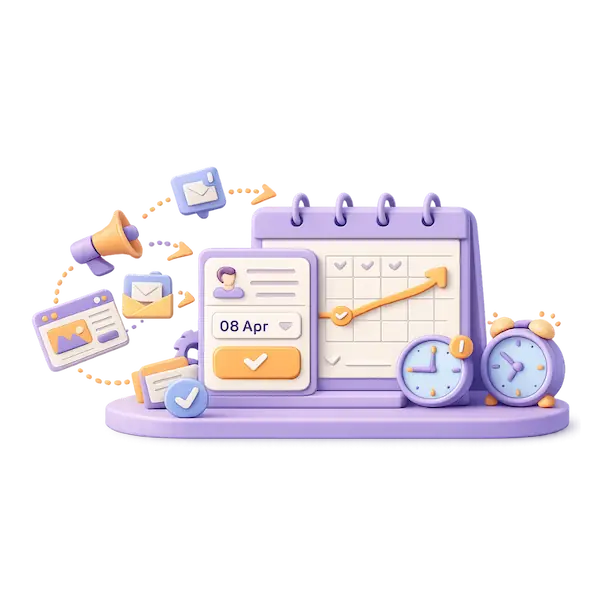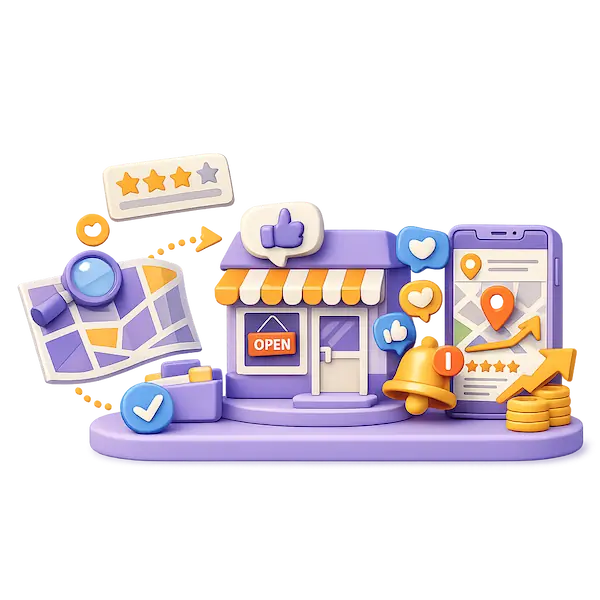
Brochure websites sit idle, waiting for you to chase every lead by hand. Yours might be doing the same: collecting visits but not converting them. Without automated follow-ups, lead tracking, or behavior-triggered responses, your site is just a digital placeholder. Turn it into a 24/7 growth engine with our website and automation starter package. Get My Growth Audit to see what your site should be doing while you sleep.
Key Takeaways:
- You’ve probably visited a site that looked sharp but left you hanging-no follow-up, no next step, just static pages. That’s what happens when a website works as a brochure, not a business tool. A small bakery in Portland redesigned their site with automated order tracking and saw repeat customers rise simply because clients got updates without asking. A website and automation starter package ensures those small but powerful workflows are built in from day one.
- Automation doesn’t require complexity. One freelance designer set up a simple contact form that triggers a calendar invite and auto-sends a portfolio PDF-cutting response time from three days to under two hours. The shift isn’t about replacing human touch, it’s about removing repetitive tasks so you can focus on the work that matters. You can start small and scale as you grow.
- Getting started doesn’t mean overhauling everything. A landscaping contractor used a basic automation to tag visitors who viewed their pricing page more than once, then sent a targeted message offering a free site assessment. That single workflow generated five qualified leads in the first month. If your website isn’t doing more than displaying information, it’s time to see what’s possible. Get My Growth Audit and explore how a website and automation starter can turn passive traffic into active conversations.
Why ‘we have a website’ isn’t the win it used to be
Having a website today is like opening a storefront with no staff inside. It’s visible, but it doesn’t engage, respond, or convert on its own. Most small businesses now expect more than just visibility; they need measurable outcomes. A site that only displays information, without triggering follow-ups or capturing leads automatically, delivers minimal return. That’s why simply saying “we have a website” no longer signals progress.
The Shift from Online Presence to Online Performance
Visibility used to be the goal, but now performance defines success. Your website should work while you sleep, capturing leads and guiding visitors toward action without manual intervention. A static site might check the “online” box, but it won’t generate consistent results. Real impact comes from systems that turn visits into conversations automatically.
How Consumer Expectations Have Outpaced Static Content
Visitors expect immediate responses, personalized content, and seamless interactions, not just brochures with contact forms. A delayed reply often means a lost opportunity, especially when competitors use chatbots, instant downloads, and follow-up sequences. A static site can’t meet these expectations without automation layered underneath.
Consider a mid-sized SaaS firm that saw a 40% drop in demo requests after switching to a sleek, modern site without automated follow-up. Their design improved, but their conversion process vanished. Users landed on the homepage, read the features, and left without a prompt or incentive to act. Without triggers like exit-intent popups or email capture flows, even high-traffic sites become digital ghost towns. Expectations have evolved: engagement must be instant, relevant, and frictionless.
The Competitive Disadvantage of Passive Digital Assets
A passive website puts you behind from the start. While competitors automate lead capture and nurture sequences, your inquiries depend on someone checking email or returning calls hours later. That delay erodes trust and momentum. In fast-moving markets, being slow to respond feels like being closed for business.
One local service provider continued using a brochure-style site for two years, believing design alone would drive growth. During that time, three new competitors launched sites with automated booking, instant quote calculators, and follow-up emails, all features that reduced response time from hours to seconds. The result? Those competitors captured 70% of inbound leads, not because their services were better, but because their websites functioned as active sales tools. Your site doesn’t need to be flashy. It needs to act. Pairing your website with a tailored website and automation starter ensures it contributes to growth from day one. Get My Growth Audit.
Core Types of Website Automation for Modern Business
Automating your website transforms it from a passive page into an active sales partner. Key systems include marketing automation for lead follow-up, operational automation to streamline order processing, and customer service automation that resolves queries without human input. The website and automation starter package aligns these tools for early-stage businesses.
| Marketing Automation | Email sequences, lead scoring, behavior tracking |
| Operational Automation | Order confirmation, inventory sync, calendar scheduling |
| Customer Service Automation | Chatbots, FAQ bots, self-service portals |
| Lead Capture & Routing | Contact forms with CRM integration, instant notifications |
| Analytics & Triggers | User behavior tracking, automated follow-up triggers |
Marketing Automation for Lead Nurturing and Retention
When a visitor signs up for your newsletter or downloads a guide, automated email workflows deliver timely content based on their actions. This keeps your brand visible and guides prospects toward a purchase without manual follow-up. The consistency builds trust over time.
Operational Automation for Order Fulfillment and Scheduling
After a customer places an order, automated order confirmation and internal task creation reduce delays and errors. Calendar syncing ensures appointments are instantly blocked and reminders sent. The system handles logistics so you can focus on delivery.
Consider a mid-sized SaaS firm that implemented automated invoice generation and onboarding checklists. Once a client paid, the system triggered account setup, emailed login details, and assigned a welcome call to the team calendar. No manual handoffs meant faster service and fewer missed steps.
Customer Service Automation via Intelligent Knowledge Bases
Visitors with urgent questions often leave if they can’t find answers quickly. An intelligent knowledge base surfaces relevant help articles based on search terms or behavior. The right answer appears before they even submit a ticket.
A plumbing contractor embedded a searchable FAQ bot that suggests solutions based on common issues like “no hot water” or “leaky faucet.” The bot reduced inbound calls by deflecting 40% of routine inquiries and linked directly to booking when needed. The automation works 24/7, even during holidays.
What automation behind a website actually does
Your website can do more than display information. It can actively capture leads, sort inquiries, and trigger follow-ups without you lifting a finger. Automation turns passive visits into structured interactions, ensuring no message slips through the cracks while building momentum in your sales cycle from the first click.
Translating Traffic into Actionable Business Intelligence
Every visitor’s behavior, from page views to form submissions, becomes a data point that reveals buying intent. Patterns emerge in real time, showing which services attract interest and where prospects drop off, allowing you to adjust messaging and offers based on actual engagement, not guesswork.
Eliminating Manual Entry and Reducing Human Error
When a lead comes in, automation routes it directly into your CRM or email sequence, skipping the step where someone copies details by hand. This removes typos, lost messages, and delays that happen when humans re-enter the same data across systems.
Consider a mid-sized SaaS firm where sales reps once spent 12 hours weekly retyping contact forms into spreadsheets. After automation, those entries flowed instantly into their pipeline, freeing up time for outreach instead of admin work. Mistakes from copy-paste errors dropped to zero within the first month, improving client onboarding accuracy.
Maintaining Consistency Across the Entire Customer Journey
From first visit to post-purchase follow-up, automation ensures every person receives the right message at the right time. No one gets forgotten, and your brand voice stays aligned, whether the inquiry comes at 9 a.m. or 11 p.m.
A local service provider using a website and automation starter package saw response times improve from 18 hours to under 15 minutes on average. Welcome emails, booking links, and reminder sequences all deploy the same way, every time, creating a reliable experience that builds trust without extra effort on your part.
Critical Factors to Consider Before Automating
Before launching into automation, evaluate your team’s capacity, existing tools, and long-term goals. Key considerations include the technical compatibility of new systems, the quality of your data, and whether your business processes are consistent enough to automate. After reviewing these elements, you can begin building a system that scales with your growth, starting with a website and automation starter package tailored to early-stage needs.
Assessing Current Technical Infrastructure and Compatibility
Your existing website platform, CRM, and communication tools must support integration with automation software. If your site runs on outdated code or a closed ecosystem, adding workflows like autoresponders or form triggers may fail or require costly upgrades. After confirming technical readiness, you avoid disruptions and ensure smooth data flow across systems.
Evaluating the Quality and Structure of Your Data
Inconsistent, incomplete, or unorganized customer data leads to failed automations and misdirected messages. Duplicate entries, missing fields, or improperly tagged leads can cause follow-ups to go to the wrong person or be sent prematurely. After cleaning and standardizing your data, each automated touchpoint becomes more accurate and effective.
Data quality directly impacts how well your automation performs. A mid-sized SaaS firm discovered that 40% of its lead responses were misrouted due to inconsistent form inputs before implementing field validation and standardized tagging. Structured data allows triggers to fire correctly, ensuring leads receive the right content at the right time. Without this foundation, even the most advanced tools deliver poor results.
Aligning Automation Goals with Organizational Growth
Automation should support where your business is headed, not just how it operates today. If you plan to expand service offerings or enter new markets, your workflows must accommodate evolving customer journeys. After mapping automation to growth milestones, each new process becomes a scalable asset.
Planning automation around future growth prevents rework and system lock-in. A local service provider automating for just five monthly inquiries may outgrow their setup within months if they don’t account for volume increases or new sales channels. Designing workflows with flexibility-such as modular email sequences or dynamic form routing-enables seamless adaptation as customer volume and complexity rise. This foresight ensures long-term efficiency without constant overhauls.
Step-by-Step Guide to Transitioning from Static to Automated
Transforming your current website into an active growth driver starts with understanding where manual processes slow you down. A static site may collect inquiries, but without automation, every lead requires personal intervention, creating bottlenecks and missed opportunities. The shift isn’t about overhauling your design-it’s about embedding smart workflows that turn passive visits into structured follow-ups. Begin by mapping your existing customer journey, then layer in tools that match your business size and capacity. For a clear roadmap tailored to early-stage businesses, see Your Website Isn’t a Brochure. It’s Infrastructure for Growth.
| Step | Action |
| 1 | Map the current manual customer path |
| 2 | Identify low-code tools for integration |
| 3 | Set up feedback loops for optimization |
Mapping the Existing Manual Customer Path
Start by tracing how a visitor becomes a lead today-every form submission, phone call request, or email inquiry that lands in your inbox. This reveals where delays happen and which steps are prone to falling through the cracks when handled manually.
Identifying and Implementing Low-Code Integration Tools
Select tools that connect your website forms to email sequences, calendars, or CRM systems without requiring developer support. Platforms like Zapier or Make can bridge gaps between your site and daily operations using simple triggers and actions.
Low-code solutions allow you to automate follow-up emails the moment a form is submitted, schedule consultations directly into your calendar, and tag leads by interest level. A mid-sized SaaS firm might use such a setup to route demo requests to the right team member based on service type, reducing response time from hours to minutes. These systems scale with minimal maintenance and integrate with platforms you already use, like Gmail or Slack.
Establishing Feedback Loops for Continuous Optimization
Track how each automated step performs-open rates, reply rates, conversion points-so you can refine sequences over time. What works today may need adjustment in three months, and real data guides those decisions.
Feedback loops go beyond analytics; they include customer responses, drop-off points in email sequences, and team input on lead quality. By reviewing this information weekly, you identify patterns-such as a high number of unsubscribes after the second email or consistent engagement with a specific subject line. This ongoing review ensures your automation stays aligned with actual customer behavior, not assumptions. Pair this with a website and automation starter plan to build momentum quickly, then refine as you grow. Get My Growth Audit to assess your current setup.
Pros and Cons of Implementing Automated Workflows
Integrating automation transforms your website from a passive page into an active participant in your growth, but it’s not without trade-offs. The efficiency gains are real, yet implementation requires thoughtful planning to avoid unintended consequences down the line.
| Pros | Cons |
| 24/7 lead capture and response | Initial setup time and learning curve |
| Reduced manual follow-up workload | Potential for misrouted or lost messages if not configured correctly |
| Consistent delivery of information | Over-automation can alienate prospects seeking personal contact |
| Scalable outreach without added labor | Requires ongoing monitoring and updates |
| Improved conversion rates through timely engagement | Risk of technical debt from poorly documented systems |
| Integration with email and CRM tools | Dependency on third-party platforms and uptime |
| Trackable user interactions and behavior | Automation errors can compound silently |
| Customized user journeys based on actions | Limited flexibility in early-stage tools |
| Lower cost per interaction over time | Upfront investment in setup and training |
| Enables faster onboarding of new team members | Requires clear internal processes before automation |
The Benefits of 24/7 Productivity and Scalability
Your website keeps working even when you’re offline, capturing leads and sending immediate responses. This constant availability means a prospect in another time zone receives the same prompt attention as one who visits during business hours, turning idle nights into active growth periods.
Managing the Risks of Technical Debt and System Fragility
Automation systems built quickly without documentation or structure can become difficult to modify or troubleshoot later. A single broken trigger or outdated field mapping can halt an entire workflow, leading to missed follow-ups and frustrated leads.
Complexity accumulates when multiple tools are connected without a clear architecture. A mid-sized SaaS firm once delayed a product launch by three weeks because a renamed form field broke an unmonitored automation chain. Regular audits and simple, modular designs reduce the chance of cascading failures and make future updates more predictable.
Balancing Efficiency with the Need for Human Connection
Automation speeds up responses, but over-reliance on bots can make your business feel impersonal. A welcome email sequence should guide, not overwhelm, leaving clear paths for real conversation when needed.
One professional services firm automated their initial inquiry response but noticed a drop in high-value client conversions. They adjusted by inserting a personalized video message and a direct calendar link after the second automated email, restoring warmth to the process. The key is knowing when to hand off to a human-automate the routine, but preserve the relationship moments that build trust and close deals.
Essential Tips for Optimizing Your Automated Ecosystem
To get the most from your website and automation starter setup, focus on alignment between user actions and system responses. Ensure every form, click, or visit triggers a relevant, timely follow-up. Simplify where possible-overcomplicated workflows often fail. After connecting your tools, monitor performance weekly and adjust based on real behavior.
Prioritizing User Experience Over Technical Complexity
Automation should feel invisible to the visitor, not like a maze of pop-ups or forced steps. A smooth journey increases trust and conversion. Focus on clear messaging, fast load times, and logical next steps. After all, a frustrated user opts out, no matter how advanced your backend.
Regularly Auditing Triggers to Prevent Workflow Decay
Triggers can degrade over time as pages change or user behavior shifts, leading to missed follow-ups or incorrect responses. A broken trigger means lost opportunities without warning. After six months, one client found 40% of their lead captures weren’t activating emails due to outdated form IDs.
Over time, small changes to your website-like updating a contact form or reorganizing pages-can silently break automation triggers. What once sent an instant reply may now do nothing, and you won’t know unless you check. Routine audits reveal gaps like duplicate actions, delayed responses, or misrouted data. After reviewing every trigger quarterly, a mid-sized SaaS firm recovered over 200 overlooked leads in a single cycle.
Leveraging A/B Testing Within Automated Email Sequences
Even small tweaks in subject lines or send times can significantly impact open and reply rates. Running parallel versions of automated emails helps identify what resonates with your audience. After testing two variants over three weeks, one consultant saw a 3x increase in meeting bookings from the same list.
Automated email sequences are not set-and-forget-they evolve with your audience. By splitting traffic between different message styles, CTAs, or content lengths, you gather real feedback on what drives action. One fitness coach discovered that a casual tone outperformed formal language by nearly double in conversion, simply by testing. After refining based on data, each message in the sequence became more effective without increasing volume.
Who this is right for (and who isn’t ready yet)
If your website brings in regular inquiries but you’re still responding one-by-one through email or phone, automation can free up hours every week. The right fit is a business ready to turn sporadic leads into predictable conversions without overhauling operations overnight. Startups and growing service providers who want systems that scale with demand will see immediate impact from a streamlined workflow.
Identifying Scalable Business Models Primed for Automation
Service-based businesses with repeatable offerings, like consulting packages or monthly retainers, gain the most when automation handles initial qualification and scheduling. A mid-sized SaaS firm using automated follow-ups after demo signups reduced response lag from 12 hours to under 9 minutes. Consistent messaging and faster replies directly increase conversion rates without increasing headcount.
Characteristics of Businesses That Require High-Touch Human Input
Custom legal advisory services or bespoke design studios often rely on deep client relationships formed through personal interaction. When every project is unique and requires nuanced discussion, templated responses may damage trust. Automation too early in these models risks alienating prospects who expect tailored communication from the start.
High-touch industries such as executive coaching or estate planning depend on discretion, emotional intelligence, and complex decision-making that resists standardization. While appointment booking or content delivery can be partially automated, the core sales conversation typically demands a human voice. Forcing automation into spaces requiring empathy often leads to lower close rates and client dissatisfaction.
Determining the Minimum Viable Traffic for Automation ROI
You don’t need thousands of visitors to benefit-just a steady flow of five to ten qualified leads per week. At that volume, even basic email sequences or chatbot triage can save 3+ hours weekly. Businesses seeing consistent inbound interest but struggling to respond promptly are at the tipping point where automation pays for itself quickly.
A local marketing agency with 150 monthly site visits implemented a simple intake bot and saw a 40% reduction in missed follow-ups within three weeks. The key isn’t traffic volume alone, but whether those visitors are ready to engage. Even modest traffic with clear intent becomes valuable when captured and nurtured automatically through a website and automation starter setup. Get My Growth Audit.
Advanced Strategies for Scaling Beyond the Basics
Once foundational workflows are in place, your site can begin acting as a proactive extension of your team. Advanced automation moves beyond simple responses, enabling systems that anticipate needs, adapt to behavior, and create personalized pathways without manual input. Consider a mid-sized SaaS firm using timed nurture sequences that adjust based on engagement depth. These strategies turn casual visitors into qualified leads by delivering the right message at the right moment, all without daily oversight.
- Deploy behavior-triggered email sequences that activate after specific page visits
- Integrate CRM data to segment leads based on engagement history
- Use conditional logic to route high-intent users to sales reps automatically
- Set up re-engagement campaigns for users who abandon key actions
- Map customer journeys to identify automation handoff points
| Strategy | Impact |
| Predictive personalization | Increases conversion likelihood by aligning content with user intent |
| Cross-platform data sync | Eliminates blind spots by unifying online behavior across devices and channels |
| Dynamic pricing models | Optimizes revenue by adjusting offers based on real-time demand signals |
Implementing Predictive Personalization Engines
You’re already collecting user data, but predictive engines take it further by anticipating what a visitor needs before they ask. By analyzing past behavior, these systems serve tailored content, product suggestions, or support options in real time. A visitor returning to a pricing page might instantly see a case study relevant to their industry, increasing trust and reducing decision time. This isn’t guesswork-it’s pattern-based automation that scales personal attention.
Synchronizing Cross-Platform Data for a 360-Degree View
You lose visibility when a user switches from mobile to desktop or moves from your site to social media. Synchronizing data across platforms ensures every interaction feeds a single customer profile. When someone downloads a guide on their phone and later visits your pricing page on a laptop, the system recognizes them as the same person, preserving context and continuity. This unified view powers more accurate follow-ups and eliminates redundant messaging.
Without synchronized tracking, you’re treating each visit as an isolated event, which fragments the customer journey. Tagging users with persistent identifiers allows your automation to connect actions across email, web, and ads. A user who clicks a Facebook ad, browses three service pages, then exits should be tagged as high-intent, triggering a targeted sequence. Platforms like Google Analytics 4 and integrated CRMs enable this cohesion, ensuring no signal is lost. Businesses using unified profiles report more efficient follow-up and higher conversion rates, simply because they stop treating repeat visitors like strangers.
Utilizing Machine Learning for Dynamic Pricing and Offers
You can now adjust pricing or promotions in real time based on user behavior, location, or demand patterns. Machine learning models analyze historical and live data to suggest optimal offers, such as time-limited discounts for cart abandoners or tiered pricing for returning visitors. A travel site might show different package deals to a first-time browser versus a repeat visitor, maximizing perceived value without manual intervention.
Dynamic pricing isn’t just for e-commerce giants-smaller businesses can implement scaled versions using tools that integrate with their CRM and website analytics. For instance, a consulting firm might offer a limited-time assessment discount to users who’ve viewed their services page multiple times. The system learns which triggers lead to conversions and refines future offers accordingly. This creates a self-optimizing sales funnel that adapts without constant oversight. Start with simple rules-based models and evolve into predictive algorithms as data accumulates. Explore the website and automation starter to build a foundation that supports these advanced capabilities. Get My Growth Audit.
FAQ
Q: My website gets traffic, but almost no one contacts me. Could automation really change that?
A: Yes, because traffic without engagement is like footfall in an empty store. A mid-sized SaaS firm noticed 1,200 monthly visitors but only 8 form submissions. After adding automated chat prompts and follow-up emails triggered by page visits, conversions rose to 47 without increasing traffic. Automation turns passive browsing into guided interaction, answering questions the moment they arise and keeping your business top of mind.
Q: I already have a contact form. Isn’t that enough to capture leads?
A: A contact form waits for visitors to act, but automation reaches out when they show interest. For example, someone who reads your pricing page twice in one session is likely comparing options. With automation, they receive a targeted message like, “Need help choosing a plan?” within minutes. That proactive touch, paired with a follow-up email series, turns silent interest into measurable conversations. The form collects names, but automation builds relationships.
Q: I’m not tech-savvy. Will I need to hire a developer to set this up?
A: Not at all. Modern tools integrate directly with most website platforms using no-code solutions. A local consulting agency implemented automated workflows in under three days using pre-built templates for lead tagging, email sequences, and calendar booking, all managed through a simple dashboard. You configure rules like “if someone downloads the guide, send a case study the next day,” without writing a single line of code. Support is included with the website and automation starter package to guide you through setup.
Q: How soon can I expect to see results after adding automation?
A: Some changes are immediate. One professional services provider activated an exit-intent popup offering a free checklist and saw a 22% capture rate on abandoning visitors starting the same week. Email sequences begin delivering value within 24 hours of sign-up, nurturing leads while you focus on clients. Real traction builds over four to six weeks as patterns emerge and you refine messages based on what converts. The system improves steadily with use, not overnight.
Q: What’s the first step to move from a static site to an automated one?
A: Start by mapping the actions you want visitors to take, like booking a call, downloading a resource, or requesting a quote, then identify where they typically drop off. A fitness coach discovered most visitors left after viewing her programs page, so she added a one-click scheduling button and a follow-up email with client results. These two changes filled three coaching spots in two weeks. Begin with one goal, implement one workflow, measure the outcome, then expand. Get My Growth Audit to identify your highest-impact starting point.
Where to go from here
Start by auditing how leads are currently handled the moment they come in-chances are, delays or missed responses are already costing you. A Your Website is Not a Brochure: How To Turn It Into a 24/7 … guide can clarify how automation turns passive traffic into tracked, nurtured conversations. Small shifts, like adding a triggered email sequence or chatbot, make an immediate difference. Your next step isn’t overhauling everything-it’s choosing one process to automate, testing it, and building from there. The goal is momentum, not perfection.
Selecting the Right Tech Stack for Your Specific Industry
Every industry has unique customer behaviors and sales cycles, so your automation tools should reflect that reality. A local service provider may benefit most from appointment booking bots and SMS follow-ups, while a B2B consultant needs lead-scoring integrations and email nurturing sequences. Choosing platforms that align with your customer journey ensures smoother adoption and higher conversion rates over time. Avoid one-size-fits-all bundles that promise everything but deliver complexity.
Training Your Team to Manage and Monitor New Systems
Rolling out automation fails when only one person understands how it works. Train key team members to monitor triggers, review response logs, and adjust messaging based on real interactions. This shared knowledge prevents breakdowns if staff change and keeps your system responsive to actual customer needs. Use simple documentation and weekly check-ins to reinforce confidence and consistency.
Effective training goes beyond software clicks-it builds a mindset shift across your team. When everyone sees the website as a working sales channel, not just a design piece, they start asking better questions: Why did this lead stall? Which message got the most replies? Over time, this feedback loop leads to refinements that boost performance, such as adjusting follow-up timing or segmenting inquiries by service type. The system improves because people are engaged, not just executing tasks.
Developing a Long-Term Roadmap for Digital Transformation
Begin with one automated workflow, then map out how additional layers-like CRM syncing, behavior-based content delivery, or ad-to-site tracking-will integrate over 12 to 18 months. This phased plan prevents overwhelm and aligns technology spending with measurable business growth. Prioritize upgrades that close the biggest gaps in your current customer journey, not the flashiest tools.
A sustainable roadmap treats digital transformation as an ongoing process, not a one-time project. As your business evolves, so should your automation-adding multilingual chatbots for new markets, integrating analytics for deeper insights, or connecting with third-party services for fulfillment. Each phase should answer a specific business challenge, supported by data from prior implementations. This approach ensures your website remains a living asset, actively contributing to revenue long after launch.
To wrap up
You’ve seen what happens when a website just sits there, waiting for visitors to call or email. It’s like leaving your front door open but never greeting anyone who walks in. A website without automation doesn’t follow up, doesn’t engage, and doesn’t work while you sleep. It’s not a growth engine, just a digital brochure. But yours doesn’t have to stay that way. With a website and automation starter from PH Digimark, even a simple setup can begin capturing leads, sending follow-ups, and booking meetings automatically. Get My Growth Audit to see exactly where your site could be doing more.