Key Takeaways:
- You decide whether a place is worth your time long before you book a visit, and photos alone often leave too many questions. A mid-sized boutique hotel guest wants to know if the bed faces the window, and a retail buyer wants to see sightlines from the entrance.
- A virtual tour fills the gaps photos can’t: it reveals flow, scale, and adjacency so prospects can judge circulation and suitability. For example, a wedding planner can check stage-to-table spacing without a site visit. Check PH Digimark’s virtual tours development if you want a practical setup that shows those details.
- Fewer wasted visits and stronger, more confident leads are the usual outcome; a real estate agent often sees clients narrow their shortlist from many homes down to two or three before scheduling showings. Send Us a Message
What photos can’t tell a prospective visitor or buyer
Scale tricks the eye: photos flatten depth so you can’t judge actual room size or how people move, which pushes prospects to decide without visiting. Imagine a sofa that looks small in a gallery but crowds an event.
The truth about those sneaky wide angle lens tricks
Wide angle lenses stretch corners and make ceilings soar; you might expect more elbow room than exists, and that misleading sense of scale often results in no-shows or disappointed walk-ins at an otherwise promising property.
Why you can’t ever figure out the flow of a house from a gallery
Flow breaks down when photos are isolated; you won’t see sightlines, door swing conflicts, or subtle choke points until you’re hauling boxes down a narrow hallway in person.
Imagine moving through rooms virtually so you can check door widths, visual connections, and whether a dining set blocks a path; that continuous view helps you pre-qualify visits, reduces friction, and builds buyer confidence. Learn more about our virtual tours development, then Send Us a Message to schedule an onsite walkthrough.
What’s hiding just outside the frame of a perfect shot
Outside the frame you’ll often miss context that changes intent; you might not spot a noisy loading bay, a cramped service entrance, or a neighboring bar that alters guest expectations.
Often a virtual tour exposes those off-frame realities, such as street noise, parking tightness, or a blocked service gate, so you can assess access and ambiance before committing to an in-person visit, saving time for both sides.
Why “just add more photos” isn’t the fix
You’re probably tempted to pile on photos, but piling images doesn’t create spatial clarity: buyers decide before they visit when photos fail to show scale or flow, so extra shots often just increase confusion instead of curiosity.
How scrolling through fifty pictures actually bores your visitors
Scrolling through fifty near-identical pictures wears down attention fast; people skim, skip, and then move on. For a boutique hotel or retail showroom, that means you lose the chance to communicate layout and atmosphere, and your first ten images set the tone.
Why more images don’t solve the “where is this room?” puzzle
Photographs capture snapshots, not connections: they rarely show how rooms link, which doors lead where, or the real sense of scale. You can’t fix that by adding angles-what matters is spatial context and sightlines, which static images can’t provide.
To resolve that gap you need elements that build a mental map: simple floor plans, 360 panoramas, and hotspots that show sightlines and doorways. PH Digimark treats virtual tours as reduced friction for prospect decisions-see our virtual tours development examples and Send Us a Message about a mid-sized event venue or boutique property.
The real reason people stop clicking after the first ten shots
After about ten photos most visitors decide they’ve got the gist or become unsure, and they stop exploring; that quick judgment is often about perceived fit, especially for event venues and properties where layout determines suitability, so uncertainty about layout kills engagement.
That clicking drop comes from simple heuristics: people build a quick mental model and bail if the gallery doesn’t confirm it. A guided tour provides sequence, scale, and wayfinding so prospects self-qualify and you avoid wasting time on mismatched walkthroughs-think a mid-sized wedding venue that skips one unnecessary visit.
Who benefits most from this format
Most businesses that live or die by site visits, like real estate, hospitality, retail, and event venues, win here: you let prospects pre-qualify themselves, cut pointless trips, and surface serious buyers faster, while PH Digimark’s approach reduces friction and boosts buyer confidence.
Why real estate agents are obsessed with this tech right now
Agents get fewer wasted showings because you let buyers judge scale and flow before they step inside; that means more qualified leads and your time goes to tours that actually convert.
How hotel owners can finally show off their best suites
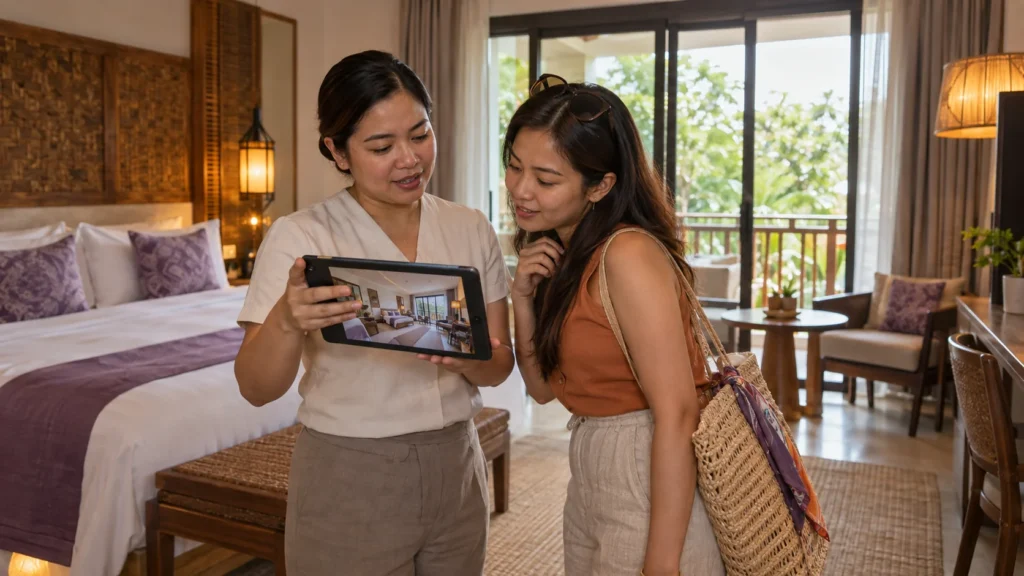
Hotels can make suite layouts, window views, and amenity proximity obvious so you stop disappointing guests who expected something different. Virtual tours make your top rooms feel tangible and boost direct bookings.
Owners often combine 360 panoramas, interactive hotspots for key features, and short guided voice notes so you show exact room flow, bathroom size, and sight lines; you can also link the tour directly to booking pages. See PH Digimark’s virtual tours development and Send Us a Message.
Why event planners love seeing the layout before they book
Planners verify sight lines, vendor access, and traffic between bars and stages so you avoid day-of surprises; a tour helps teams commit without another site visit, saving hours of back-and-forth and uncertainty.
Organizers use tours to share annotated screenshots, point out load-in paths, and confirm where truss and staging will sit, so your vendors arrive better prepared and you cut setup time, and fewer last-minute changes means happier clients.
My take on the vibe factor: Can you really feel a room through a screen?
My take is that you can sense a room’s mood through a well-constructed tour: you’ll judge scale, flow, and likely comfort without stepping inside, which helps prospects pre-qualify and saves both sides wasted site visits.
Why lighting is the secret sauce for a cozy digital feeling
Good lighting turns pixels into mood. Warm, layered light reads as inviting while harsh highlights push people away; you should aim for even exposure and soft shadows so viewers leave the tour with an honest sense of comfort before they book.
The way smooth transitions make a place feel high-end
Smooth transitions stitch spaces together so you can feel the flow; measured movement and consistent framing create a high-end impression that mirrors real-world circulation and reduces doubts about layout.
Scenes that use eased pans, consistent horizon lines, and predictable hotspot placement let you mentally map a route through the property; show entry, main room, then key amenities in that order so your prospect builds a clear picture. PH Digimark’s approach to virtual tours development focuses on those transitions to reduce friction and build buyer confidence before anyone books a visit.
Why I think the “wow” factor starts with the first click
First impressions are everything: your first click sets load speed, vantage point, and expectation, so pick a crisp, welcoming starting view to hook viewers and get them exploring further.
Since the moment you hit play, clarity matters. A crisp hero shot, fast load, intuitive controls, and clear labels remove hesitation and let buyers self-qualify more quickly. Those tiny UX choices often decide whether a prospect schedules a viewing or drops off; if you want a professional build that converts, check PH Digimark’s virtual tours development and Send Us a Message.
Tips for choosing the right gear without breaking the bank
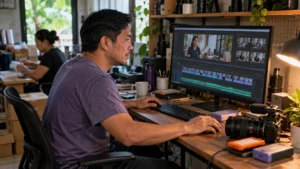
Start small: prioritize items that show scale and flow, such as a decent 360 camera, a sturdy tripod, and soft lights. Peek at a quick example here: 🤔 Would YOU visit this place based on photos alone? … This ties back to virtual tours development. Send Us a Message.
- 360 camera: prioritize low-light performance and easy stitching.
- Tripod: look for load capacity and a reliable head, not the fanciest carbon model.
- Phone tours: good for quick previews but know the limits.
How-to pick a 360 camera that isn’t a total rip-off
Compare features that matter for your space: real low-light shots, quick stitching, and decent battery life. If you’re showing venues with tight corners, choose a 360 camera with minimal stitch lines and simple export options so you spend less time fixing images.
Why you don’t always need the most expensive tripod out there
Opt for stability over status. A midweight tripod with a good head beats an expensive, fragile model when you shoot in busy venues or uneven floors. You’ll want consistent framing more than a flashy label.
Balance cost and functionality by checking payload ratings, head smoothness, and quick-release plates; aluminum legs can be heavier but cheaper to repair, while carbon is lighter and pricier. Look for a visible bubble level and a low center-column option so your tripod sits steady during panoramic captures.
Using your phone for tours: Is it actually a good idea?
Sometimes your phone is fine for a quick walkthrough, especially for social teasers, but it’s limited by dynamic range and stitching control compared with dedicated gear. Treat phone clips as previews, not the main attraction.
Phones work when you stabilize them on a compact mount or gimbal, use manual exposure apps, and shoot in good light; otherwise you’ll get blown highlights, shaky panoramas, and inconsistent stitch lines. If you need full immersive tours that let prospects pre-qualify themselves reliably, plan on at least a modest 360 camera setup and contact our virtual tours development team. Send Us a Message.
How-to: Setting up your space so it doesn’t look like a mess
Begin by staging for flow so a virtual tour communicates scale and flow, and you’re able to cut down on wasted site visits; check PH Digimark’s virtual tours development and then Send Us a Message.
The “hide the clutter” checklist you’ve got to follow
Toss anything that distracts from circulation: clear countertops, stash loose signage, fold spare chairs, and bag seasonal props so you don’t overwhelm the viewer; a single focal piece per room helps your tour read as curated and intentional, avoiding wasted site visits.
Why opening all the curtains is a total game-changer
Pull the drapes wide to let natural light establish real size; it’ll reduce harsh shadows, reveal true colors, and make your tour feel welcoming so you let prospects picture an actual visit.
Letting sunlight flood the room creates depth and readable shadows that reveal true dimensions and surface textures; for a hotel lobby or event hall you can show how furniture placement affects circulation and guest movement during an actual booking.
Pro tips for making small rooms look way bigger than they are
Slide in mirrors, pick light paint, and remove bulky pieces so you’re giving virtual tours perceived space and flow. Thou must keep sightlines unobstructed so you let visitors mentally map the room before they arrive.
- mirrors to double perceived depth
- light paint to reflect more light
- minimal furniture to open circulation
Arrange furniture to create a clear path-angle chairs, use rugs to define zones, and add vertical shelving so you’re freeing floor space; swap heavy drapes for sheers to maintain brightness for evening tours. Thou will notice visitors understand flow faster and feel confident enough to schedule a visit.
- angling furniture to widen sightlines
- rugs to define activity zones
- vertical storage to maximize usable floor area
Honestly, why do people still struggle with the tech?
Many operators confuse gadget fear with a bad process-you’re not failing at hardware so much as at a repeatable workflow. For a boutique hotel or mid-sized event venue, a simple path-based tour can let prospects self-qualify and cut down on wasted site visits.
Overcoming the “this is too complicated” mindset
Start small: map one walkthrough, label hotspots, and publish a single room first so your team sees quick wins. When you break it into tiny, repeatable steps you’ll build internal buy-in and avoid the classic “we’ll never figure this out” paralysis.
Why you shouldn’t let fancy software scare you away
Don’t assume you need top-end platforms; basic 360 cameras and entry-level tools get you a usable tour that boosts visitor confidence without a massive learning curve.
If you prefer not to DIY the tech, you can hand the capture, stitching, hosting, and analytics to a specialist. PH Digimark’s virtual tours development service focuses on reduced friction and stronger buyer confidence, so your tours actually qualify leads-ready to move forward? Send Us a Message.
The real deal on how long it actually takes to learn this stuff
Expect a short learning curve for basics: a few hands-on sessions will get you comfortable shooting a walkthrough and adding hotspots, while refinements come with repeat use and feedback.
Practice in stages-capture, stitch, edit, then upload-and assign one person to own the checklist. Many teams get publishable tours after a couple of focused tries, and iterative tweaks from real prospect behavior quickly improve clarity and conversions.
FAQ
Q: How does a virtual tour help buyers decide to visit before they step inside?
A: You get motion and context that photos can’t provide: the way light moves through a room, how one space flows into the next, and the true sense of scale when you pan from corner to corner. Imagine a mid-sized event hall: a few photos might show the stage and the back wall, but a tour lets someone walk the aisle, check sightlines from the back row, and mentally map where tables would go. That kind of pre-qualification means fewer annoyed site visits and more serious, ready-to-book prospects for you.
Q: Why isn’t adding more photos the same as a virtual tour?
A: Pictures are snapshots; they freeze perspective. A dozen angles still leave gaps where a buyer needs continuity, and people struggle to imagine movement or adjacency from static frames. Virtual tours stitch those perspectives into a single, explorable experience so viewers understand how rooms connect and where traffic will flow. This is useful for retail layouts, short-term rentals, and properties with awkward hallways. If you want help turning a set of photos into something interactive, PH Digimark’s virtual tours development service builds tours that show flow, not just pretty angles.
Q: Will a virtual tour work on phones and social feeds where most buyers browse first?
A: Yes, modern tours are built to respond to phones and tablets; pinch, drag, and tap controls are the norm so viewers on mobile get roughly the same sense of space as desktop users. Embeddable links mean you can drop the tour into a listing, a booking page, or a social post, and you can export short highlight clips for an Instagram story or a Facebook post. A simple trick: add a QR code to printed collateral so curious browsers at an open house can pull up the full tour immediately on their device.
Q: What common mistakes make a tour feel low-quality, and how do you avoid them?
A: Poor lighting, cluttered staging, and rushed capture are the usual offenders. Dark corners create noise, half-packed rooms look unprofessional, and shaky pans produce ugly stitching artifacts. Use even interior light or balanced artificial light when shooting, take time to clear focal points, and lock the camera on a tripod for steady panoramas. Host the files where bandwidth is reasonable so load times stay short, and label hotspots clearly so users don’t get lost inside the tour.
Q: Can you DIY a good tour, or should you hire someone? What’s the right choice for my business?
A: For a small boutique, a café, or a single-room rental, a consumer 360 camera and a careful shoot can yield solid results; you’ll save on upfront cost and learn the process. High-traffic properties, luxury hotels, or complex venues with multiple floors and booking funnels usually benefit from a pro who handles capture, floor-plan integration, and lead capture features. A wedding venue, for example, often needs precise sightlines, branded hotspots, and a fast-loading hosted tour, all services that pros supply. If you’d rather not test the tech yourself, click the virtual tours development link or Send Us a Message.
To wrap up
If you’re deciding whether to visit, photos help but a tour lets you confirm layout, flow, and vibe before stepping in; check our virtual tours development and see how prospects for a mid sized hotel or boutique store pre-qualify themselves. Send Us a Message.